Disputes
If a result is wrong, you can raise it formally rather than trying to catch the organizer between matches. A dispute is a record: it says what you think is wrong, who filed it and when, and what the organizer decided.
Filing a dispute
Section titled “Filing a dispute”Disputes are filed against a specific match, so you start from the match itself.
-
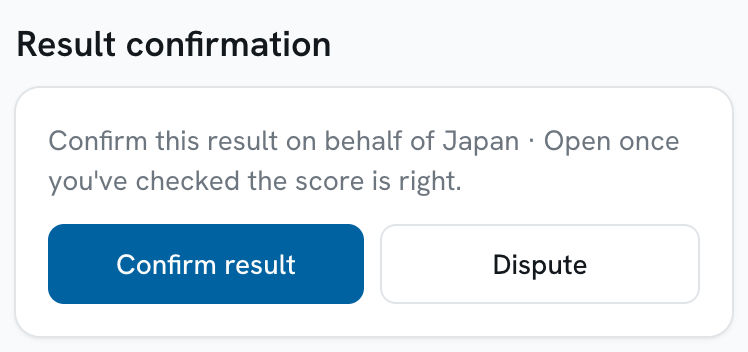
Tap Dispute in the Result confirmation panel.
-
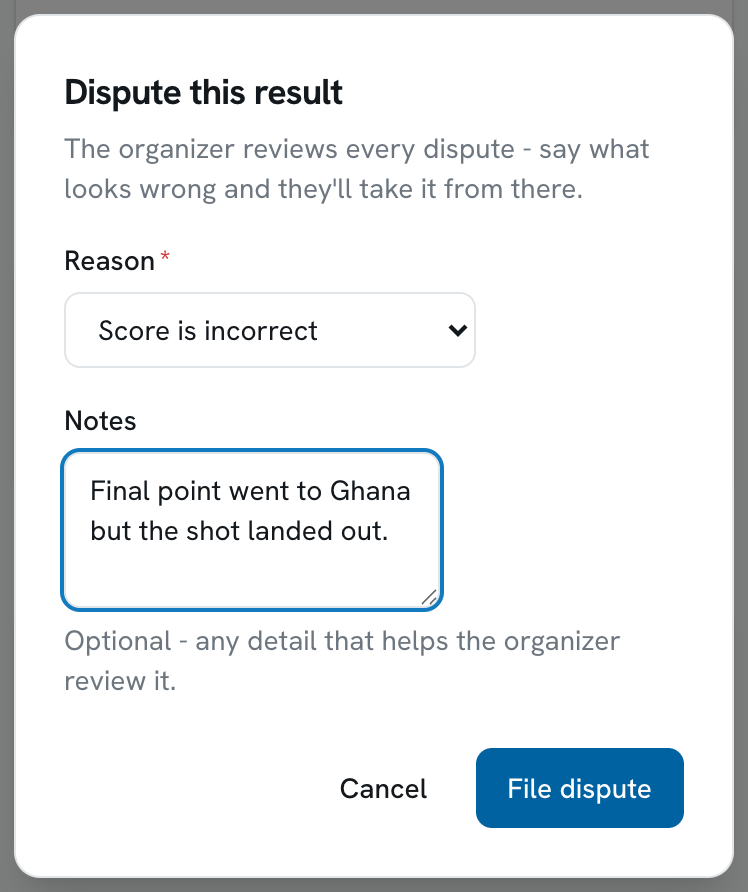
Choose a reason.
Reason Use it when Score is incorrect The numbers recorded are not the numbers played Wrong result / winner The score may be right but the outcome recorded is not Ineligible player Someone played who should not have Conduct / sportsmanship Something happened that the organizer needs to rule on Other Anything else - explain it in the notes -
Add notes.
Optional, but this is the part the organizer actually reads. Be specific: what the score should be, which player, which period.
-
Tap File dispute.
Following a dispute
Section titled “Following a dispute”Once you have an open dispute, a Disputes row appears on Home telling you how many are under review. Tap it for the full list.
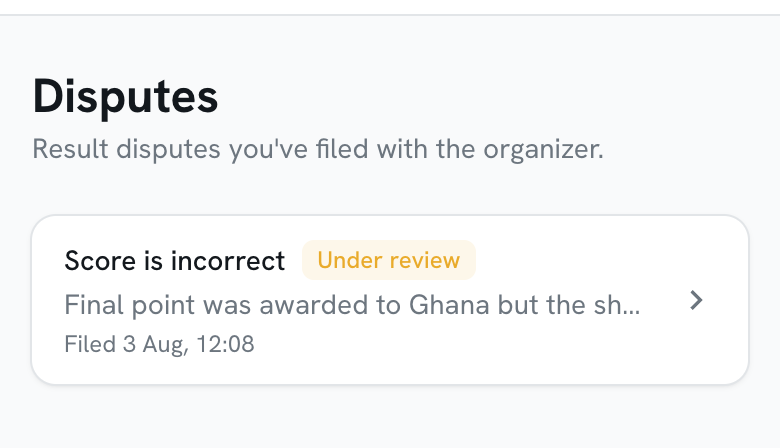
Each dispute carries a status:
| Status | What it means |
|---|---|
| Under review | Filed, and with the organizer |
| Resolved | The organizer agreed and acted on it |
| Rejected | The organizer reviewed it and let the result stand |
| Retracted | You withdrew it |
Tap any dispute to see the match it concerns, the notes you wrote, and the organizer’s response once they have given one.
Retracting a dispute
Section titled “Retracting a dispute”If you file something in the heat of a match and think better of it, open the dispute and tap Retract. You will be asked to confirm.
Retracting only works while a dispute is still under review - once the organizer has ruled, their decision stands.
Where to find disputes
Section titled “Where to find disputes”There is no Disputes tab. You reach your disputes two ways:
- From Home, whenever you have one still under review.
- From the match the dispute concerns.