Create a tournament
Creating a tournament takes two steps: the basics, then a plan. The tournament exists as soon as you finish the first step, so you can stop after it and come back to the plan whenever you like.
Where to start
Section titled “Where to start”Open your organization’s home screen, click the Tournaments tile, then click Create tournament.
Step 1: the basics
Section titled “Step 1: the basics”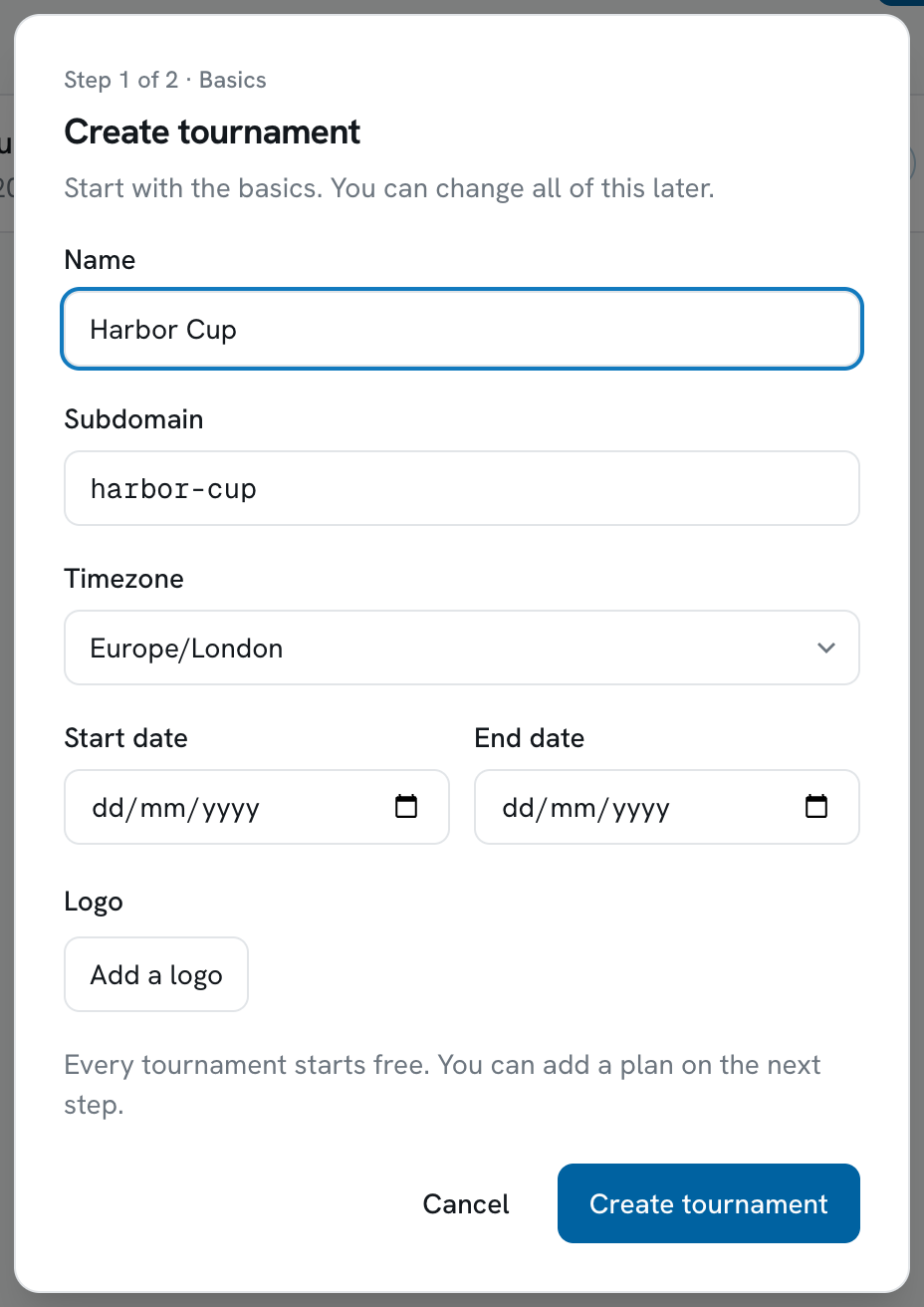
-
Enter the name.
This is what appears on your public page, your scoreboard and everywhere in the app. You can change it later.
-
Check the subdomain.
Scored suggests one from the name. It becomes the address of your public tournament page: a subdomain of
acme-openmakes the pageacme-open.scored-page.com, and team managers work atacme-open.scored-page.com/manage.It takes lowercase letters, numbers and dashes only. If someone else already has it, the form tells you and nothing is created.
-
Pick the timezone.
Every match start time you enter later is read in this timezone, so pick the one the event is played in. The list is searchable.
-
Add the start and end dates.
Optional, and easy to add later. The end date has to be on or after the start date.
-
Add a logo, if you have one.
Optional. Pick an image and crop it to a square.
-
Click Create tournament.
Your tournament now exists on the Free plan, which holds up to 8 teams. Nothing has been charged.
Step 2: pick a plan
Section titled “Step 2: pick a plan”The second step shows the four plans with their prices, and what each one adds. Take your time here or skip it - the tournament is already made.
- Start free and continue leaves the tournament on Free and takes you to it.
- Pay and continue takes you to Stripe, our payment provider, to pay by card. Once the payment lands you come back to the tournament’s Billing page.
There is one payment per tournament, and nothing renews. If you upgrade later, you pay only the difference to what you have already paid.
Each plan card lists what it holds and what it adds, and Settings > Billing shows the same thing any time later.
What to do next
Section titled “What to do next”Scored then takes you into your new tournament. Three things get it ready to play:
-
Build the structure.
Divisions, stages and groups - the shape of the competition. See Structure.
-
Add your teams.
Type them in yourself, or invite each team’s manager to fill in their own squad. See Teams.
-
Make the schedule.
Courts or pitches, time slots, and the matches that fill them. See Schedule.
Your new tournament starts with the setup guide, which covers the three in one pass, step by step. Finding your way around shows you the rest of the tournament’s workspace.
Once teams and matches are in place, team managers can name their line-ups and follow their fixtures in the Team Manager portal.
Changing the basics later
Section titled “Changing the basics later”Everything from step 1 lives in Settings > General, and you can edit it whenever you like.